

Introduction
If your team keeps asking, “Where is that file?” or “Didn’t we already solve this last month?”—you do not have a people problem. You have a knowledge management problem.
In 2026, information moves fast. Meetings pile up, chats disappear, docs multiply like rabbits, and tribal knowledge lives inside someone’s brain until they quit on a Friday. That is where smart KM tools step in.
The best knowledge management tools help you capture ideas, organize documents, build a searchable knowledge base, and share answers without ten follow-up messages. In short: less chaos, more clarity.
This guide covers the Top 10 Knowledge Management Tools for 2026 for busy professionals and growing teams in the USA. I’ll keep it simple, practical, and honest.

Quick Comparison Table: Best Knowledge Management Software in 2026
| Tool | Best For | AI Features | Free Plan | Starting Price |
|---|---|---|---|---|
| Notion | Flexible teams | AI writing/search | Yes | Varies |
| Confluence | Enterprise docs | AI summaries | Limited | From ~$5/user |
| Guru | Sales & support teams | Context cards | No | From ~$15/user |
| Zendesk Guide | Customer support | AI article suggestions | No | From ~$49/agent |
| Document360 | Structured documentation | Smart search | Trial | From ~$149/mo |
| Slite | Small teams | AI writing help | Yes | From ~$8/user |
| Bloomfire | Large knowledge libraries | AI discovery | No | Custom |
| Glean | Enterprise search | Unified AI search | No | Custom |
| ClickUp | Projects + docs | AI assistant | Limited | Varies |
| Obsidian | Personal knowledge management | Plugins | Yes | Free personal use |
If you’re also looking for tools to organize your personal schedule and tasks, here are the best planner apps for busy schedules in 2026.
What Are Knowledge Management Tools?
Knowledge management tools are software platforms that help teams create, organize, share, and use information inside a business. Think of them as the company memory that actually remembers things.
They often include:
- Document storage
n- Internal wiki software - Searchable knowledge repository
- Team collaboration spaces
- AI search and recommendations
- Analytics dashboards
- Permissions and compliance controls
Without one, many teams rely on luck, old chats, and that one coworker who knows everything.
Why Use Knowledge Management Software?
Because time is expensive.
That’s why many teams also combine KM tools with time tracking methods to reduce wasted hours and improve visibility.
A strong knowledge software system can help you:
- Reduce repeated questions
- Speed up onboarding
- Improve customer support
- Keep SOPs updated
- Make better decisions faster
- Preserve knowledge when employees leave
- Support remote and hybrid teams
I’ve seen teams save hours each week simply by making answers easy to find.
Top 10 Knowledge Management Tools for 2026
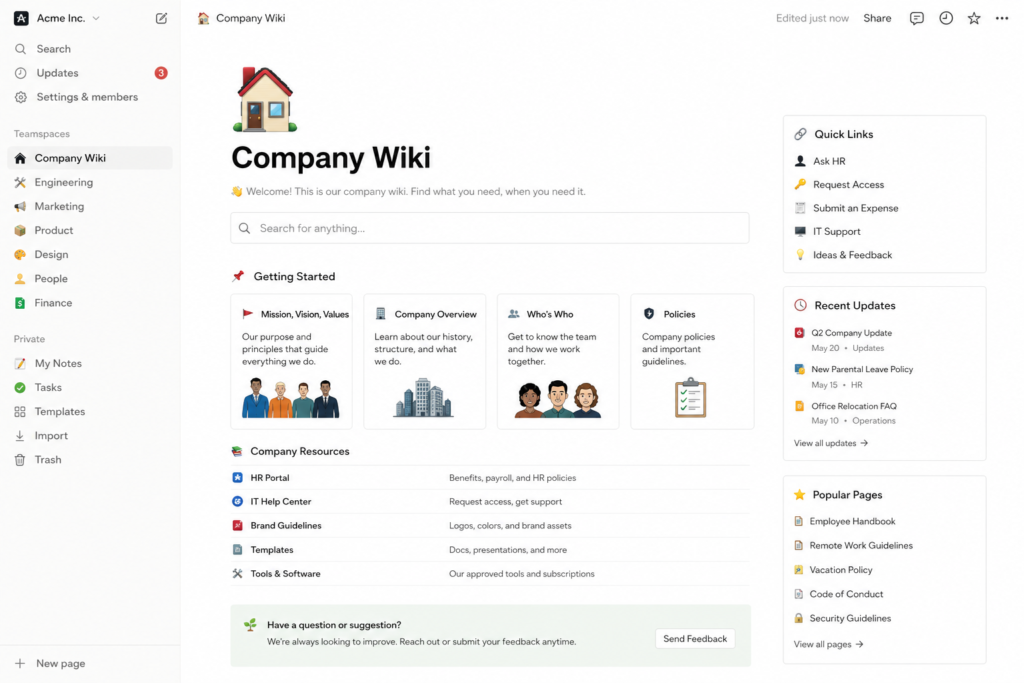
1. Notion
Best for flexible workspaces and growing teams.
Why it stands out: Notion blends docs, databases, wikis, tasks, and AI in one clean space. It feels modern and adapts to almost any workflow.
Best for: Startups, agencies, marketing teams, operations.
Pros:
- Beautiful interface
- Strong templates
- Great free tier
- Easy Notion knowledge base setup
Cons:
- Can become messy without structure
2. Confluence
Best for enterprise documentation.
Why it stands out: Confluence remains a favorite for technical teams that need scale, permissions, and structured documentation.
Best for: IT, engineering, enterprise teams.
Notion vs. Confluence? If you want flexibility, choose Notion. If you need enterprise-grade documentation, Confluence often wins.
3. Guru
nBest for fast answers inside daily workflows.
Guru uses knowledge cards and browser integrations so your team gets answers where they already work.
Best for: Sales, HR, support.
4. Zendesk Guide
Best for customer self-service portals.
If support tickets repeat daily, Zendesk Guide can turn those common questions into articles customers can solve themselves.
Yes, Zendesk works for knowledge management—especially customer-facing support content.
5. Document360
Best for polished external and internal documentation.
Structured categories, version control, and strong search make it ideal for product docs and help centers.
6. Slite
Best for small teams that hate complexity.
Slite is simple, lightweight, and practical. Great if you want team knowledge sharing without enterprise headaches.
7. Bloomfire
Best for large content libraries.
Bloomfire shines when companies need AI-powered content discovery across many files, videos, and documents.
8. Glean
Best for enterprise AI search.
Glean connects many workplace tools and helps employees find information across systems. Think Google for your company.
9. ClickUp
Best for teams wanting projects + docs together.
If your team already runs tasks in ClickUp, adding docs and wiki features can simplify your stack.
10. Obsidian
Best for PKM tools and personal knowledge management.
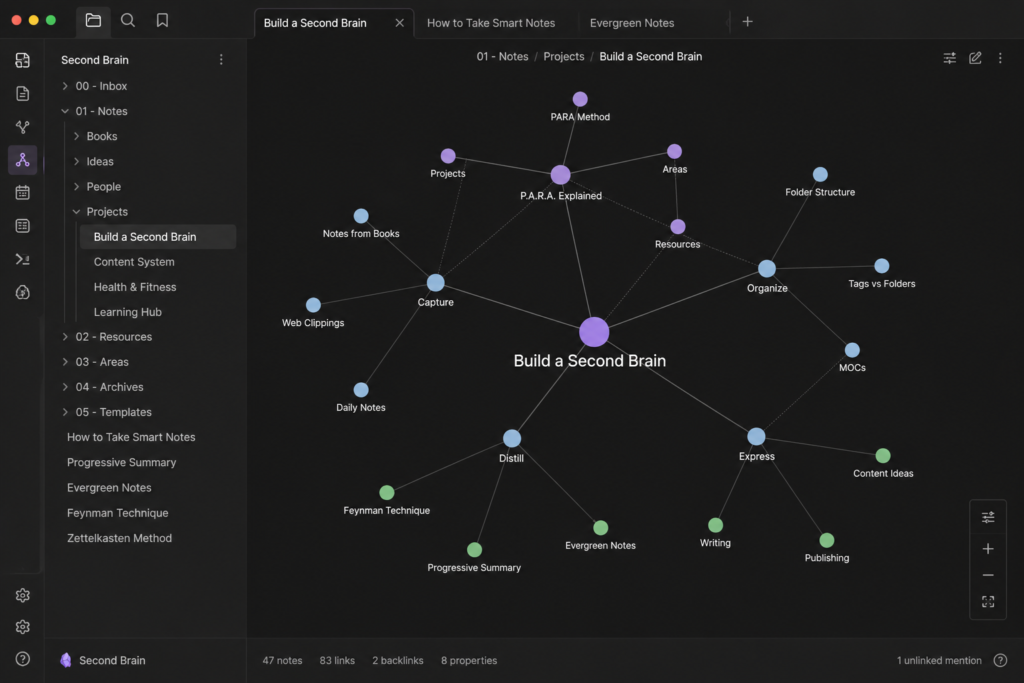
Obsidian is brilliant for individuals who want linked notes, idea graphs, and local Markdown files.
If your brain has 47 browser tabs open, Obsidian feels like therapy.
How AI Improves Knowledge Management in 2026
AI knowledge management is now a real advantage, not just a buzzword.
AI helps by:
- Natural language search (“Where is the PTO policy?”)
- Auto summaries of long docs
- Suggested articles for support teams
- Duplicate content detection
- Content gap identification
- Smart tagging and organization
The result? Faster answers with less digging.
How to Build a Knowledge Base That People Actually Use
Here is the secret: make it useful, not fancy.
- Start with common questions.
- Create clear categories.
- Use short, simple articles.
- Add screenshots and steps.
- Keep ownership clear.
- Review outdated content monthly.
- Track search terms and misses.
A giant messy wiki nobody trusts is just digital clutter.
Enterprise vs Small Team KM Tools
| Team Type | Best Choices | Why |
|---|---|---|
| Solo users | Obsidian, Notion | Flexible PKM |
| Small teams | Slite, Notion, ClickUp | Easy setup |
| Mid-size companies | Guru, Document360 | Better structure |
| Enterprise | Confluence, Glean, Bloomfire, ServiceNow | Scale + security |
Best Free Knowledge Management Tools
If budget is tight, start here:
- Notion free tier
- Obsidian free personal use
- Slite free plan
- HubSpot Knowledge Base
- Open source wiki software options
- Bitrix24 free collaboration tools
Free tools can work surprisingly well if your process is clean.
How to Measure KM Tool Success
Do not judge success by how many pages you created. Nobody gets a trophy for page count.
Track these metrics:
- Search success rate
- Monthly active users
- Content views
- Time saved in support/onboarding
- Reduced duplicate questions
- Faster ticket resolution
- Employee satisfaction
FAQs
What are knowledge management tools?
They help organizations create, organize, share, and use information efficiently.
What are key features of KM tools?
Content management, search, analytics, wikis, permissions, and collaboration.
What is personal knowledge management (PKM)?
It is managing your own notes, ideas, and learning using tools like Obsidian.
What are the best free knowledge base tools?
Notion, HubSpot Knowledge Base, open-source wiki tools, and Slite are strong options.
Confluence alternatives?
Notion, Slite, Guru, ClickUp Docs, and Document360 are popular alternatives.
Final Verdict: Which Tool Should You Choose?
If you want one flexible all-rounder, choose Notion.
If you run a large company, look at Confluence or Glean.
If support matters most, choose Zendesk Guide.
If you want personal thinking tools, pick Obsidian.
My honest advice? Start small. Build habits first. Fancy software cannot fix messy knowledge culture.
Conclusion
The best knowledge management tools for 2026 do one simple thing: they help people find the right answer fast.
That means less frustration, fewer repeated questions, and more time for real work.
Pick one tool, clean up your top 20 recurring questions, and build from there. Your future self—and your team—will thank you.
Which KM tool are you considering this year?